Pacifica Confessor and Daylight Saving Time
In most US time zones there are two time changes each year: one when we switch our clocks to Daylight Saving Time (DST), and one when we switch them back to Standard Time.
As of this writing (March, 2024), the change from Standard Time to Daylight Saving Time occurs on the second Sunday in March at 2 AM. The change from Daylight Saving Time to Standard Time occurs on the first Sunday in November at 2 AM.
The switch to DST (from Standard Time) is done at what would be 2:00:00 AM on the day of change by simply eliminating the 2AM hour: the time jumps forward from 1:59:59 AM to 3:00:00 AM skipping the 2AM hour.
The switch from DST (to Standard Time) is done at 2:00:00 AM on the day of change by setting the time back to 1:00:00 AM, thus adding one hour to the day: the time jumps from 1:59:59 AM to 1:00 AM "repeating" the 1AM hour.
DST and the Confessor
Switching between Standard Time and DST requires action on your part: you must adjust your schedule in the Confessor in order to maintain the integrity of your show's archives.
The reason this cannot be automated is that the Confessor cannot know how you want to adjust your schedule. You need to tell it at each seasonal transition.
Adjusting Your Station's Schedule
In the Spring your schedule must be shortened by one hour (just as the day is shortened by one hour). You can either remove the one-hour show that airs between 2:00 AM and 3:00 AM (if there is one), or you can simply shorten the show that crosses the 2:00 AM hour (if that's how your schedule is set up).
You must lengthen your schedule in the Fall by adding an hour of programming to the schedule, just as the day is one hour longer when switching from DST to Standard Time.
How this "shortening" and "lengthening" happens is completely up to you and your station's schedule.
Spring Forward (Delete an Hour of Programming)
When you log in to your Confessor and navigate to your station's schedule for the week of the time change to DST you will notice that there is no 2AM hour for that Sunday. But the length of the show which either starts at or crosses 2AM is still the same length. In other words, the total length of all the shows for that Sunday is 24 hours, even though there are only 23 hours in that day.
In order to "fix" this, you must remove one hour from the scheduled shows for that Sunday. If you don't do this, all recordings after 1:59 AM will start one hour later than the actual clock time because the show that starts at (or crosses) 2AM is one hour longer than the length of that day.
As shown in the example screenshots, the show that starts at 2AM ('TBA OPEN TBA') in standard time (Sun 5) starts at 3AM in DST (Sun 12). And all subsequent shows start one hour later.
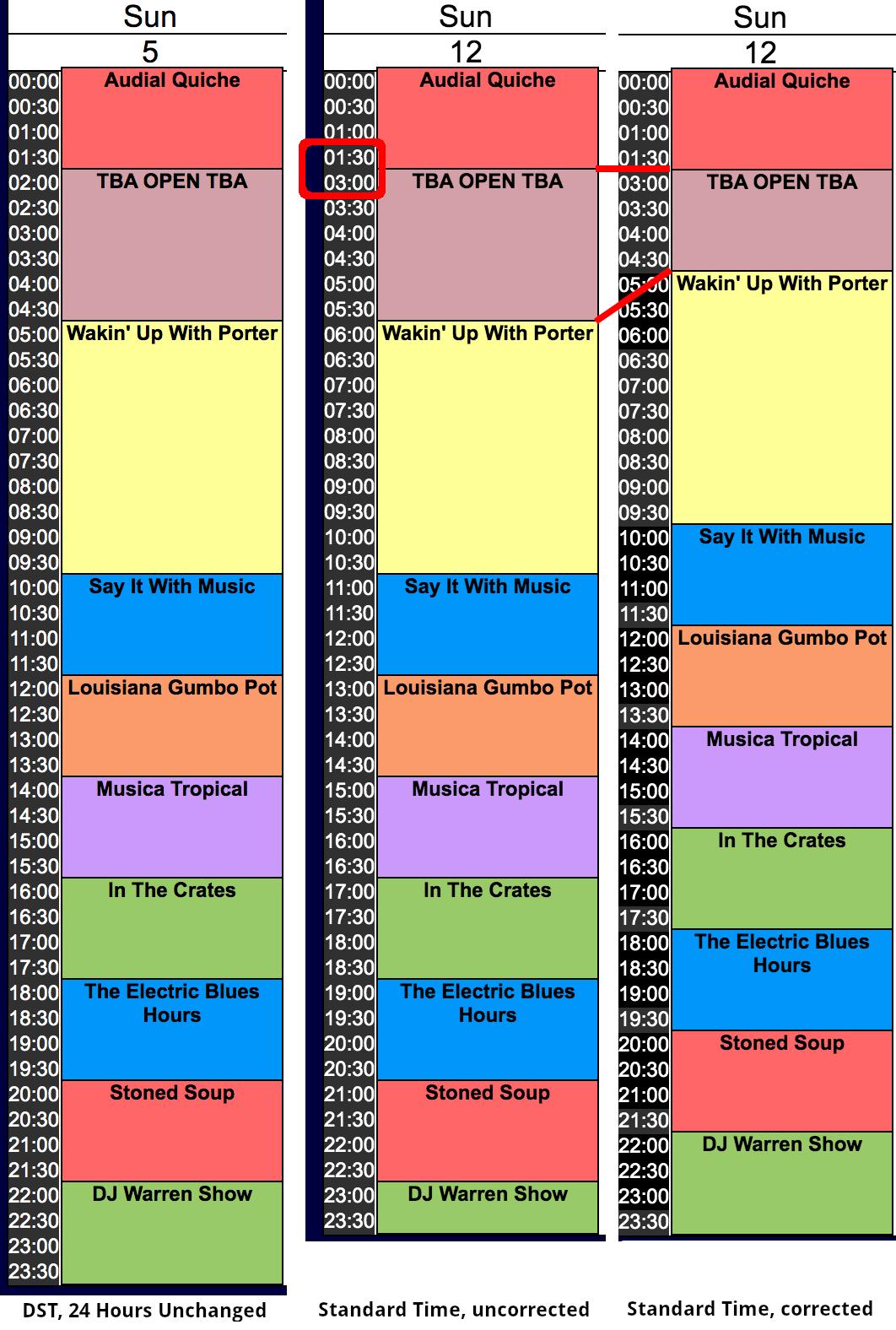
The show ("TBA OPEN TBA") length is 3 hours, i.e. from 2AM to 5AM. In DST (before correction) it’s still 3 hours long, i.e. from 3AM to 6AM. The next show actually starts at 5AM, but now appears in the schedule to start at 6AM.
Shorten your schedule in the Spring
-
browse to Schedule Admin and click Next in the schedule (upper right) until the second Sunday in March is visible; you'll see a "gap" or empty hour at the end of that day
-
remove the hour from 2AM to 3AM (or shorten the length of the show that covers the 2AM hour)
-
move every subsequent show up one hour so each starts at the proper time
-
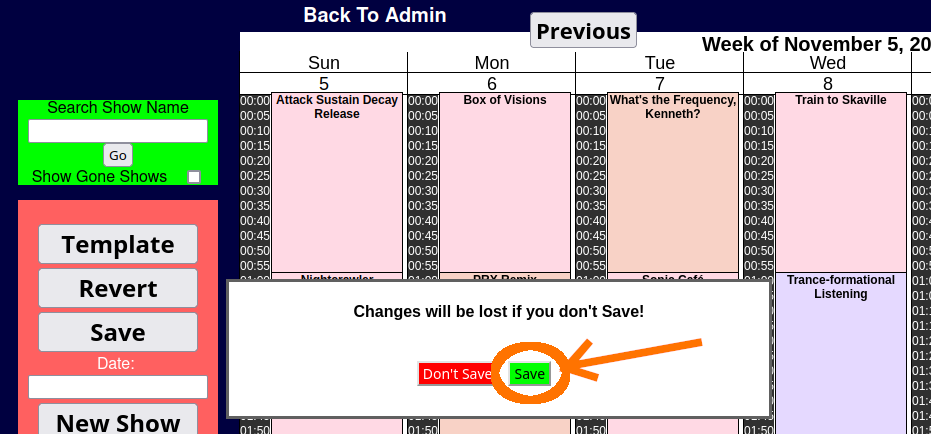
after your schedule is set the way you want it, click Back to Admin and, when prompted save the playlist, as shown:
-
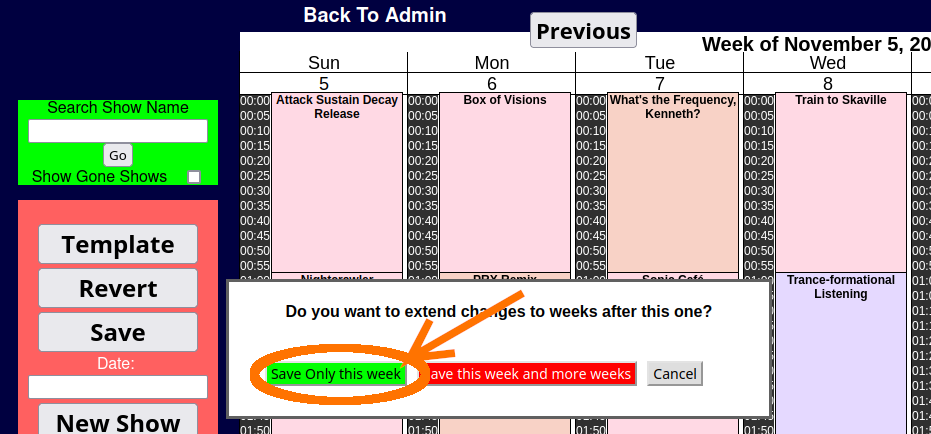
choose Save Only This Week as shown in the next screenshot:
-
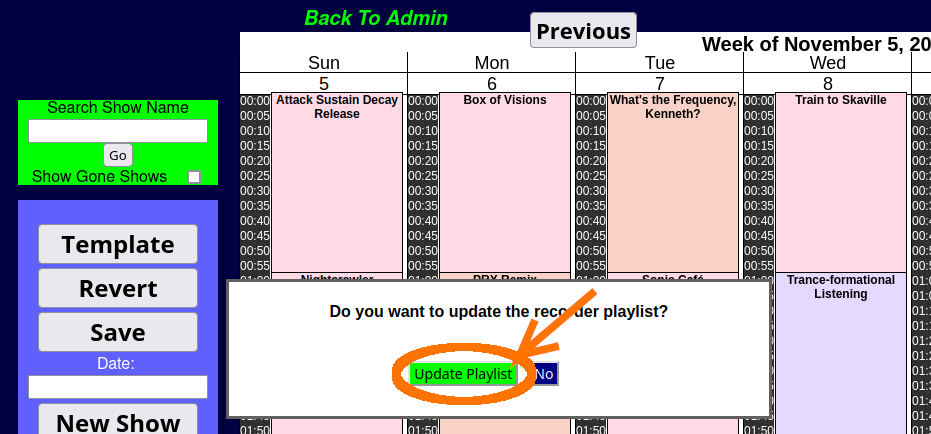
Confessor than offers to update the recorder playlist; choose Update Playlist at the next prompt, as shown:
-
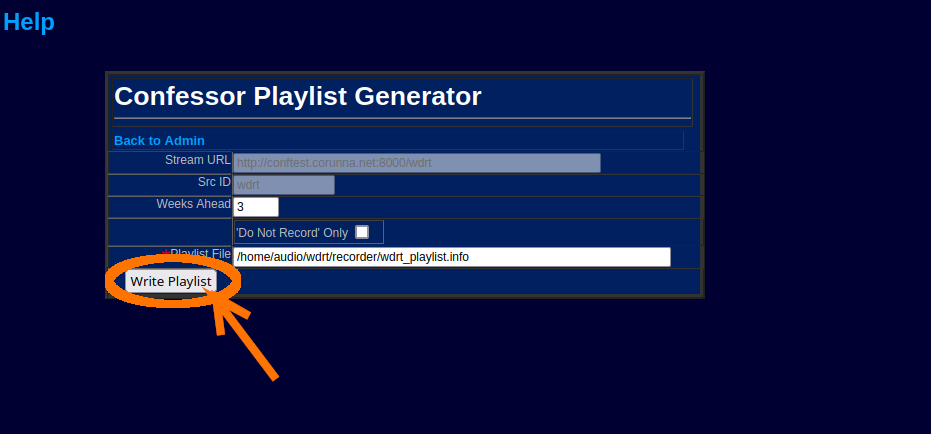
in the Confessor Playlist Generator screen, simply click Write Playlist to save the archive recorder playlist file:
-
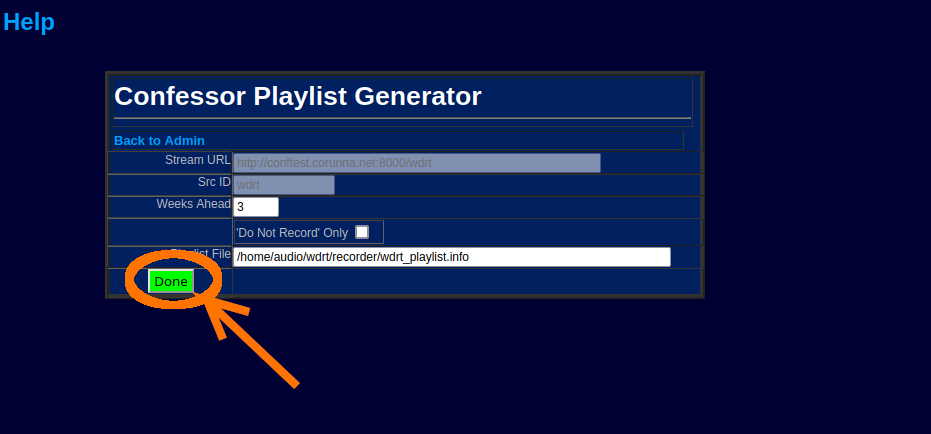
finally, also in the Confessor Playlist Generator screen, the Write Playlist button is replaced with a green Done button:
-
you'll be returned to the main menu when you click Back to Admin
-
go back to the week you changed and make sure the times are right
Fall Back (Add an Hour of Programming)
On the first Sunday in November (as of 2023), you'll notice an extra hour of time when you look at the schedule (Schedule Admin from the main menu). You need to fill this hour in order to keep all your archiving on time.
Lengthen your schedule in the Fall
-
browse to Schedule Admin and click Next in the schedule (upper right) until the first Sunday in November is visible; you'll see a "gap" or empty hour at the end of that day. You'll also notice that there are 2 1:00 AMs. That's because the way the "fall back" works, at 2:00 AM, the change occurs officially, and the correct time is now 1:00 AM.
-
you'll notice that all the shows after 1:00 AM are starting an hour earlier than in the regular schedule. From the bottom, move all the shows down one hour to place them a the right time.
-
now you can rearrange your first-Sunday-in-November schedule either by adding an hour-long show (or two half-hour shows), or by lengthening the show that normally ends on or before 2:00am Sunday morning (technically, you can make up the one-hour of programming any time that day, but doing it over night makes for the best listening experience)
-
after your schedule is set the way you want it, click Back to Admin and, when prompted save the playlist, as shown:
-
choose Save Only This Week as shown in the next screenshot:
-
Confessor than offers to update the recorder playlist; choose Update Playlist at the next prompt, as shown:
-
in the Confessor Playlist Generator screen, simply click Write Playlist to save the archive recorder playlist file:
-
finally, also in the Confessor Playlist Generator screen, the Write Playlist button is replaced with a green Done button:
-
you'll be returned to the main menu when you click Back to Admin
You can check your work after saving the playlists: return to Schedule Admin and click the Next button to view the week you changed. Make any additional changes, or simply return to the main menu.
Set yourself a calendar reminder to return in the Spring to adjust for the switch to Daylight Savings Time.