Starting the Archive
Start the archiving process by logging in to your archive instance at
https://archive.STATION_NAME.TLD/login/login.php
(Substitute your station's domain name for STATION_NAME.TLD.)
- Click on Confessors
- Click on your station's Confessor (there may be only one)
- If you know it, type or paste your station's stream URL in the box labeled Live Listen Source
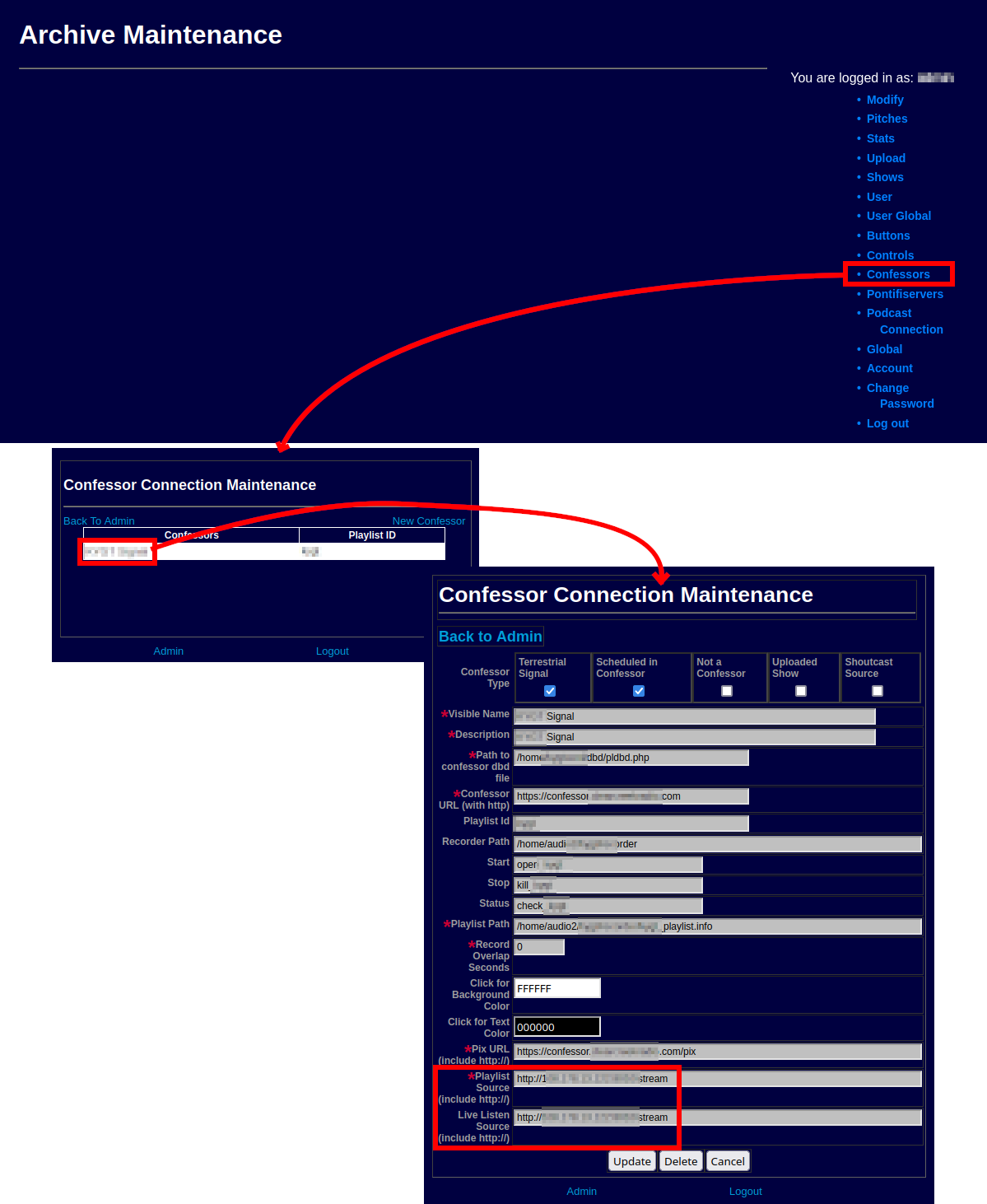 |
| Screenshot Sequence: Add stream URL |
- Return to the main menu by clicking Back to Admin
- Select Controls from the main menu
- Click Start
Signal if the Recorder is not shown as Running - Click Back to Admin when the display shows Running in green
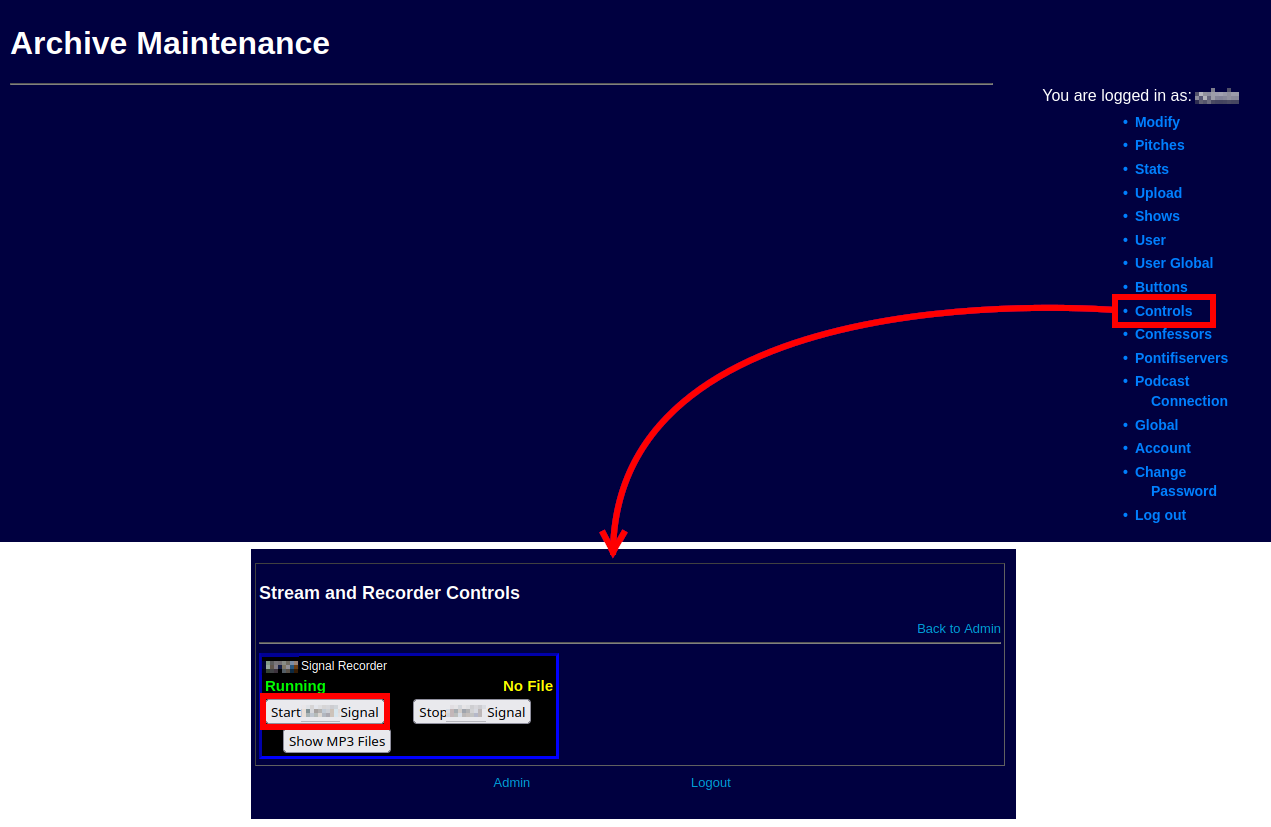 |
| Screenshot Sequence: Start the Recorder |